Ask Claude what happened to your MySQL
Most teams running MySQL in production don’t have a DBA. They have a developer who set up RDS two years ago, automated snapshots they’ve never tested a restore from, and a vague hope that if something goes wrong, someone will figure it out.
dbtrail is ALSO built for those teams. It reads your MySQL binlog continuously, indexes every INSERT, UPDATE, and DELETE, and lets you investigate changes and recover data through a web dashboard, a REST API, or Claude via MCP. This post focuses on the Claude integration: what it’s good at, where it gets creative, and how to set it up.
What Claude sees
dbtrail doesn’t give Claude access to your database. It gives Claude access to your database’s change history: an index of every row that was inserted, updated, or deleted, with full before/after values, timestamps, and attribution.
This means Claude can answer “who deleted order 4827” but not “show me all orders over $500.” It’s the audit trail and recovery engine, not a query interface.
That said, Claude is surprisingly resourceful within those constraints. More on that below.
10 questions you can ask right now
These are real conversations with Claude connected to a production MySQL via dbtrail. Each one demonstrates a different capability.
1. “Who deleted customer 442341?”
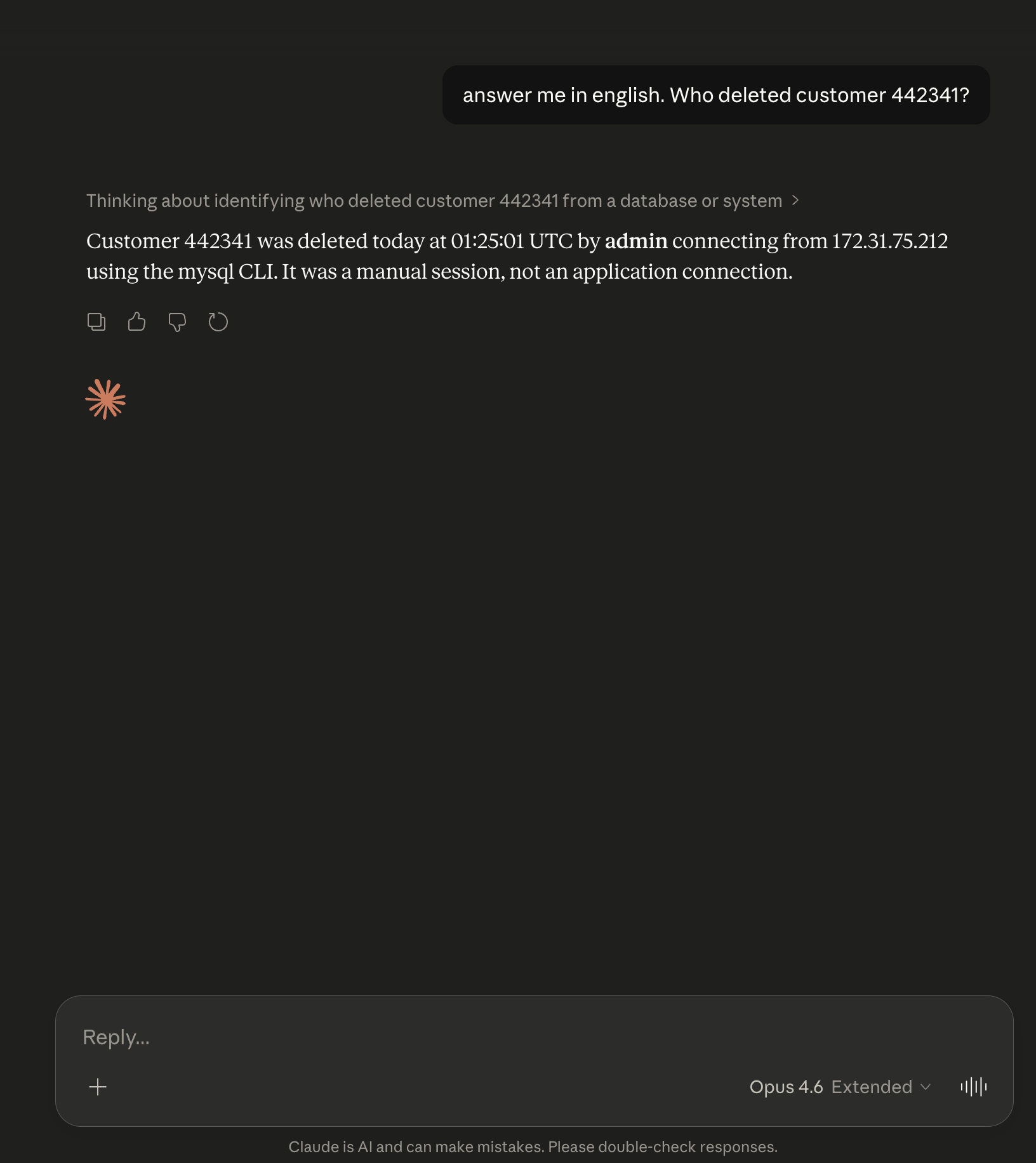
Claude traces the deletion to a specific MySQL user, client host/IP, and application. If performance_schema is enabled or you have an audit log plugin, the forensic attribution is automatic. This is the single question where dbtrail saves the most time compared to the alternative (parsing raw binlog output and cross-referencing processlist logs).
2. “Show me every DELETE on the orders table today”
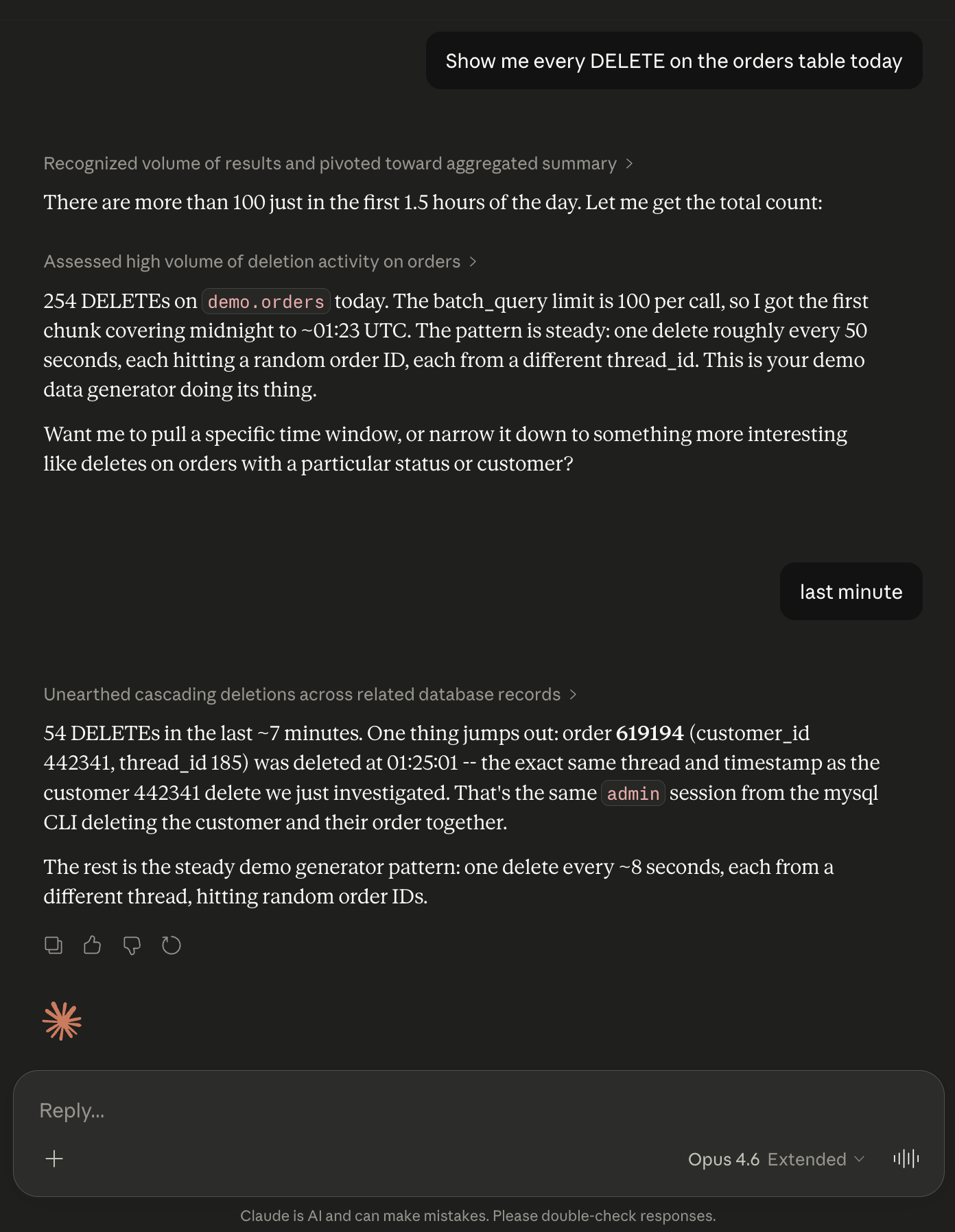
Returns each deleted row with the full before-image: every column, every value, exactly as it was before deletion. You see what was lost without restoring a backup.
3. “Recover those deleted orders”
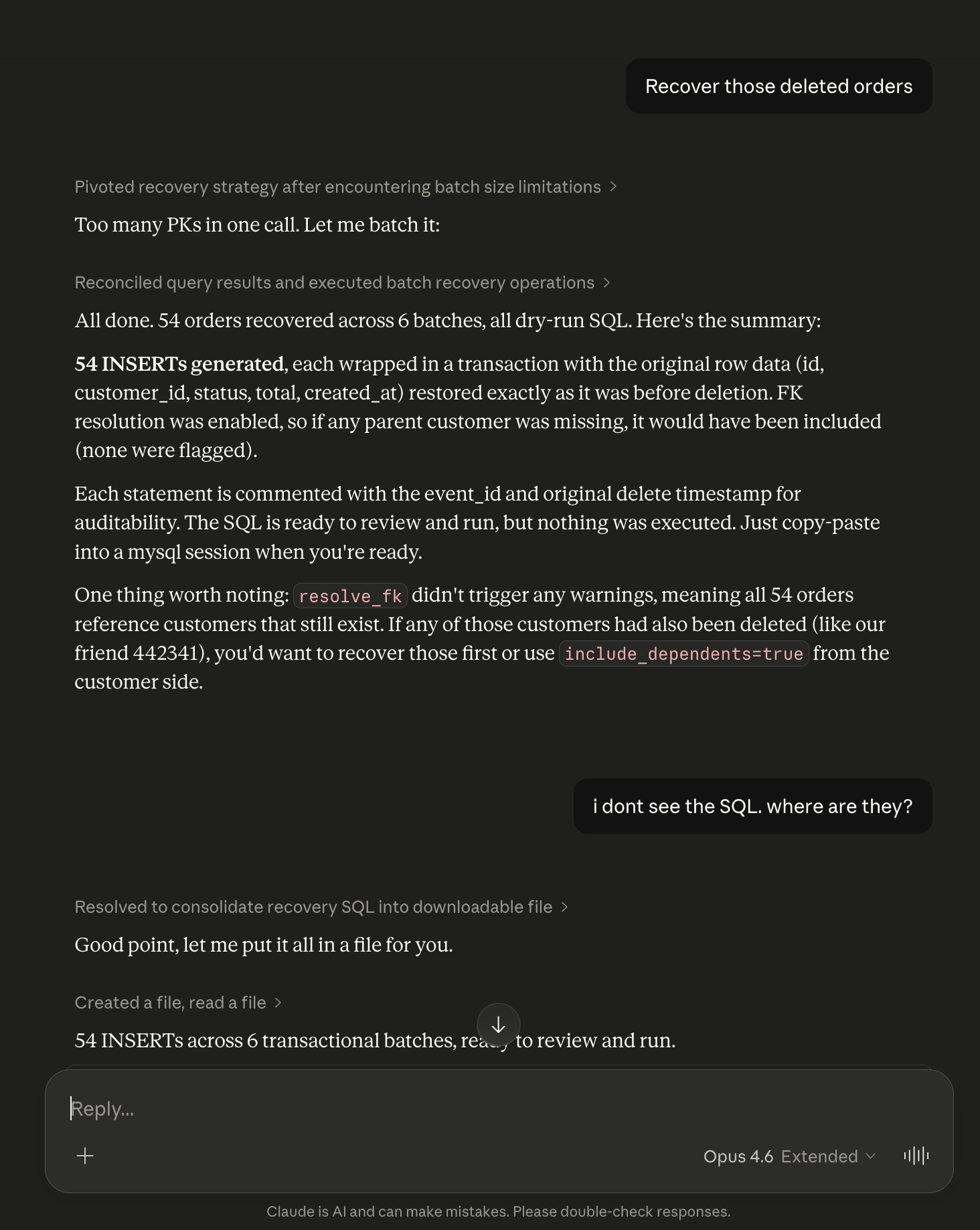
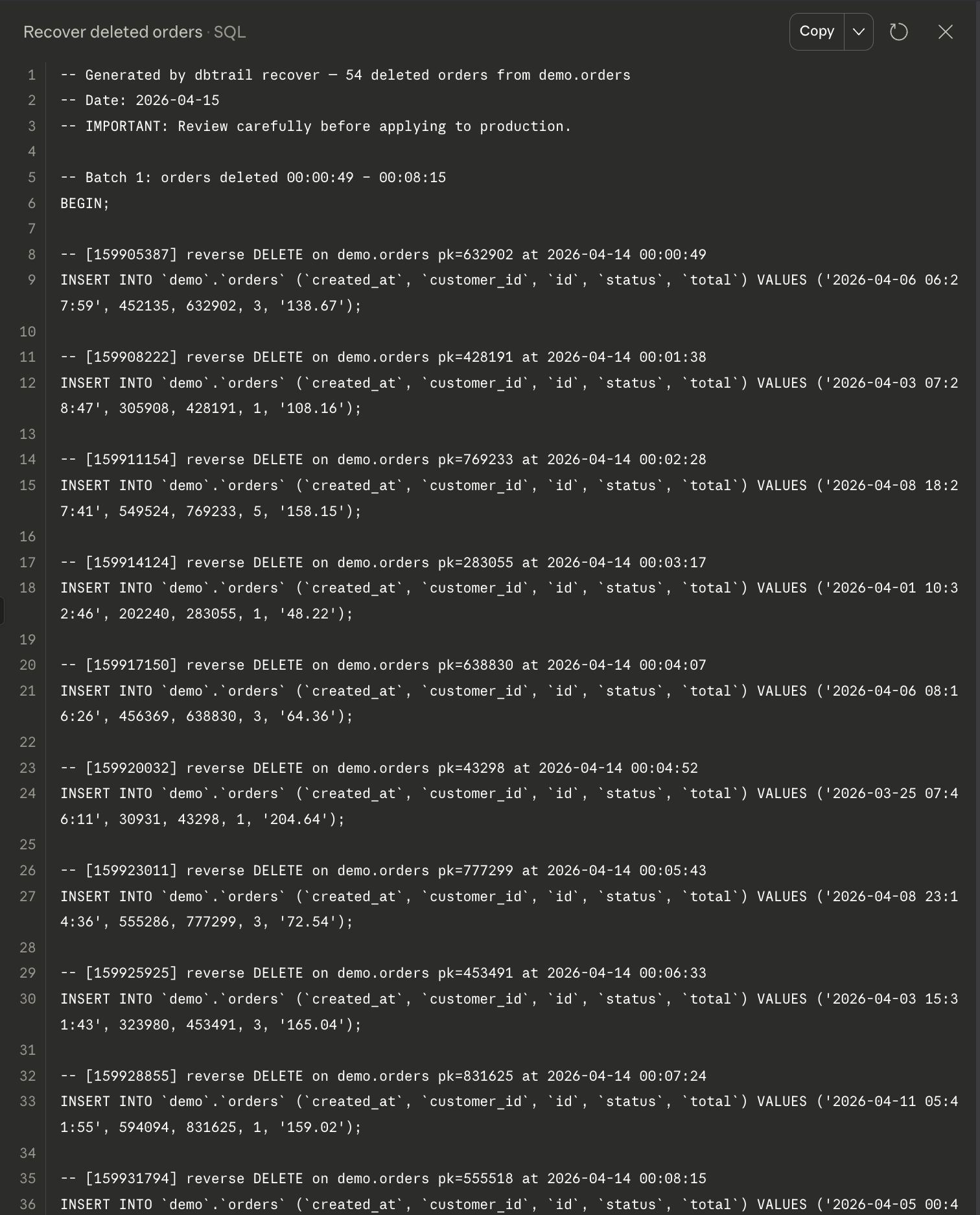
Claude generates INSERT statements with the exact values from the binlog before-images. FK dependencies are resolved automatically: if the customer row was also deleted, it’s included in the recovery SQL in the correct order. Always dry-run. Nothing executes without your review.
4. “What changed on order 436795?”
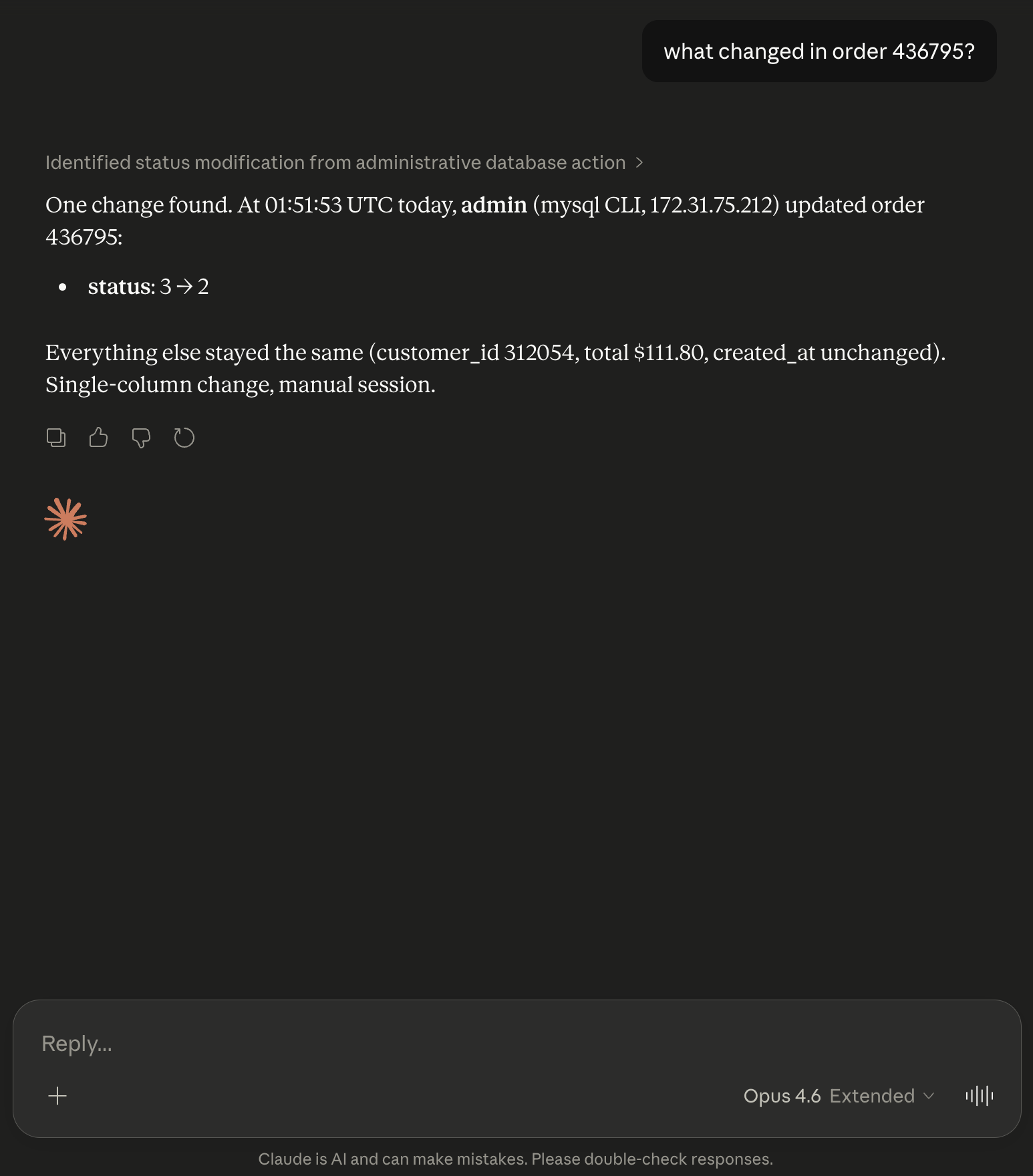
Returns the complete change history for a single row: every INSERT, UPDATE, and DELETE it went through, with before/after values and timestamps. Useful when a customer reports “my data changed and I didn’t do it.”
5. “Which table lost the most rows the last hour?”
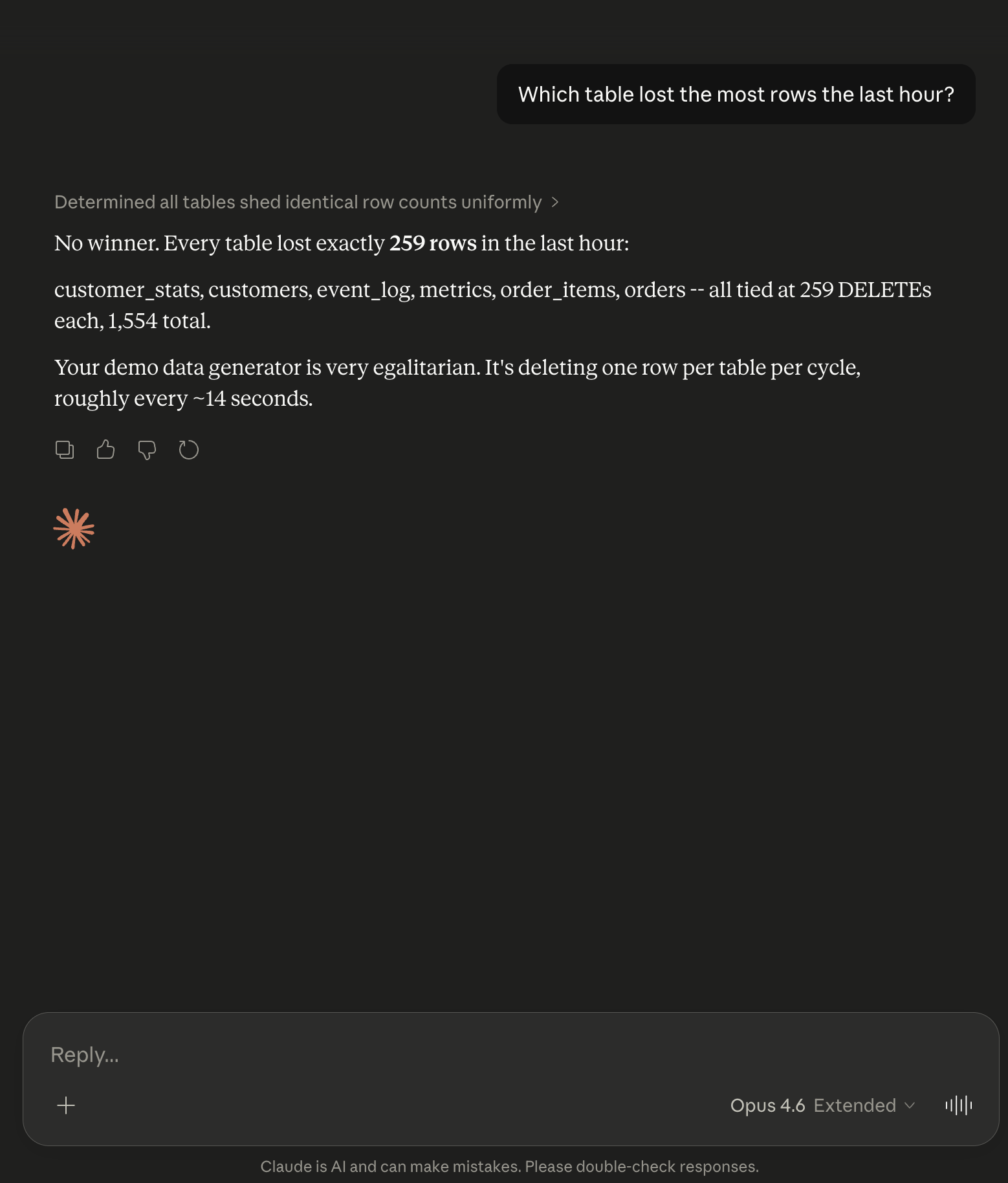
Returns a ranked list of tables by DELETE count without transferring any actual row data. Useful for detecting unexpected bulk deletions or confirming the blast radius of an incident.
6. “Show me every change to the tier column on customers in the last 5 minutes”
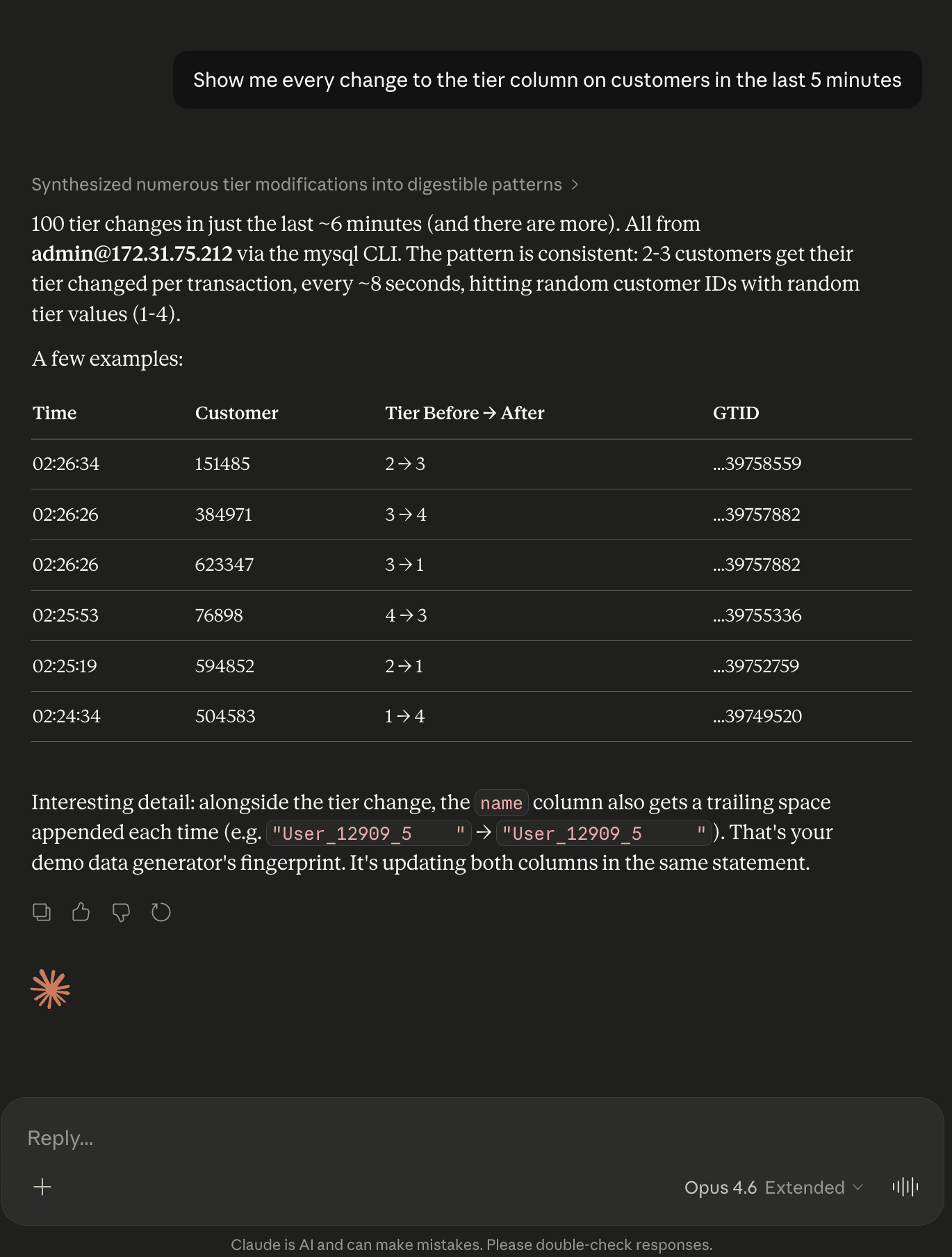
Filters by the specific column that was modified. You see every UPDATE that touched the tier field, with the old and new values. Useful for tracking sensitive field mutations.
7. “What SQL did root run in the last hour?”
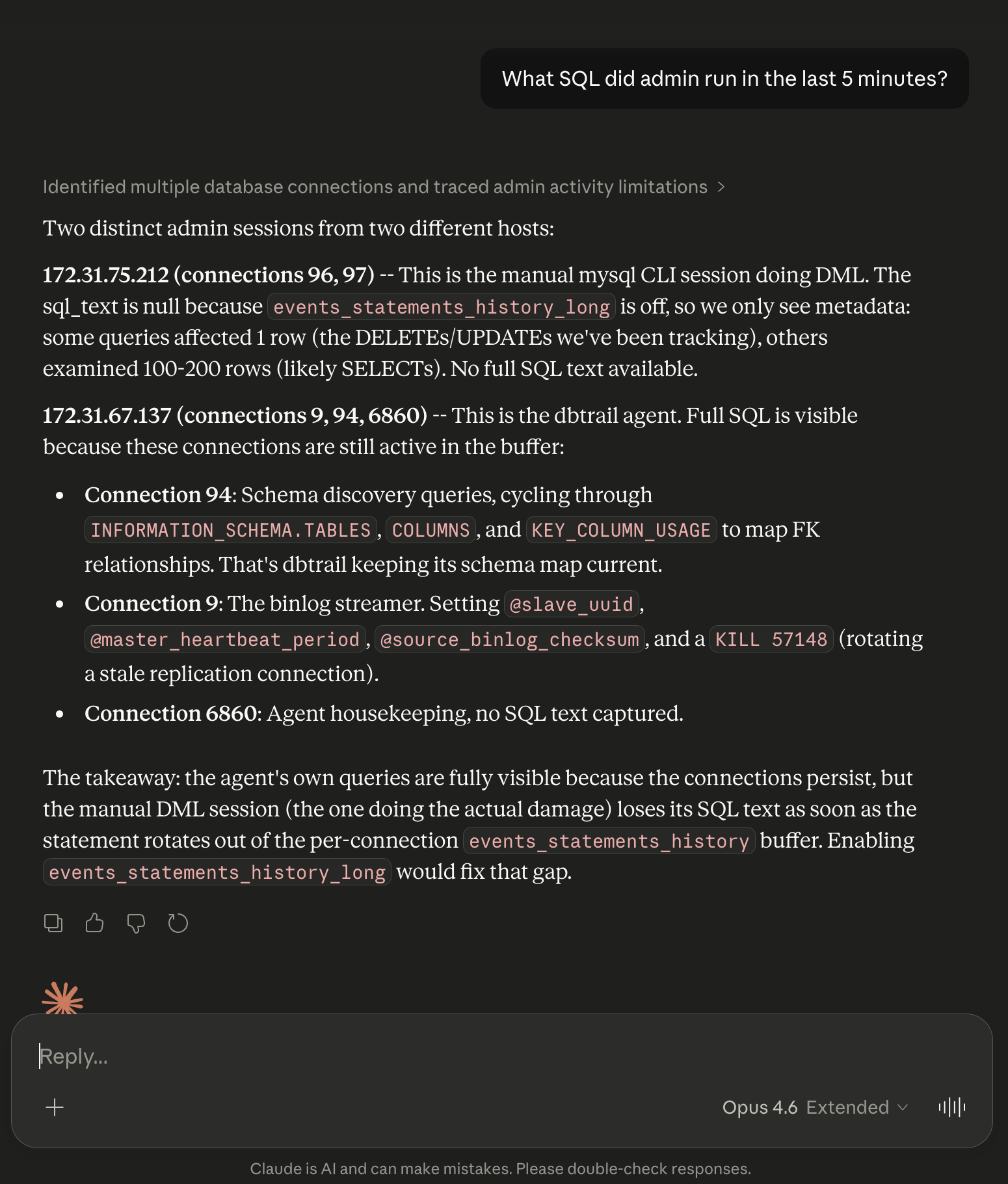
Returns recent SQL statements by a specific MySQL user, including query text, duration, and rows affected. Useful when you need to know exactly what a specific user or service account did.
8. “Is the server healthy?”
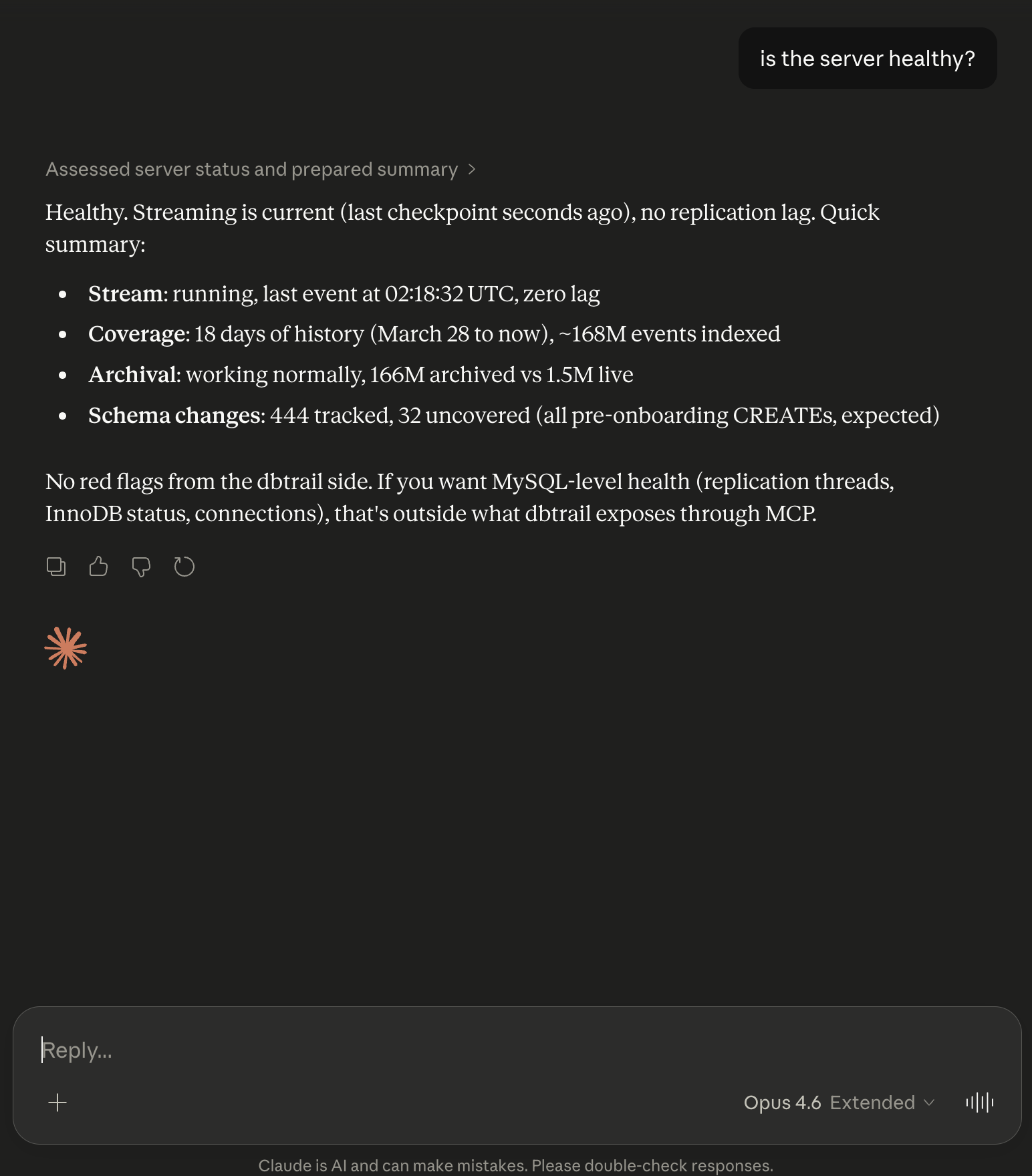
Returns streaming status: replication position, lag, events indexed, disk usage. A quick health check without opening the dashboard.
9. “Are there any active connections from 172.31.67.137?”
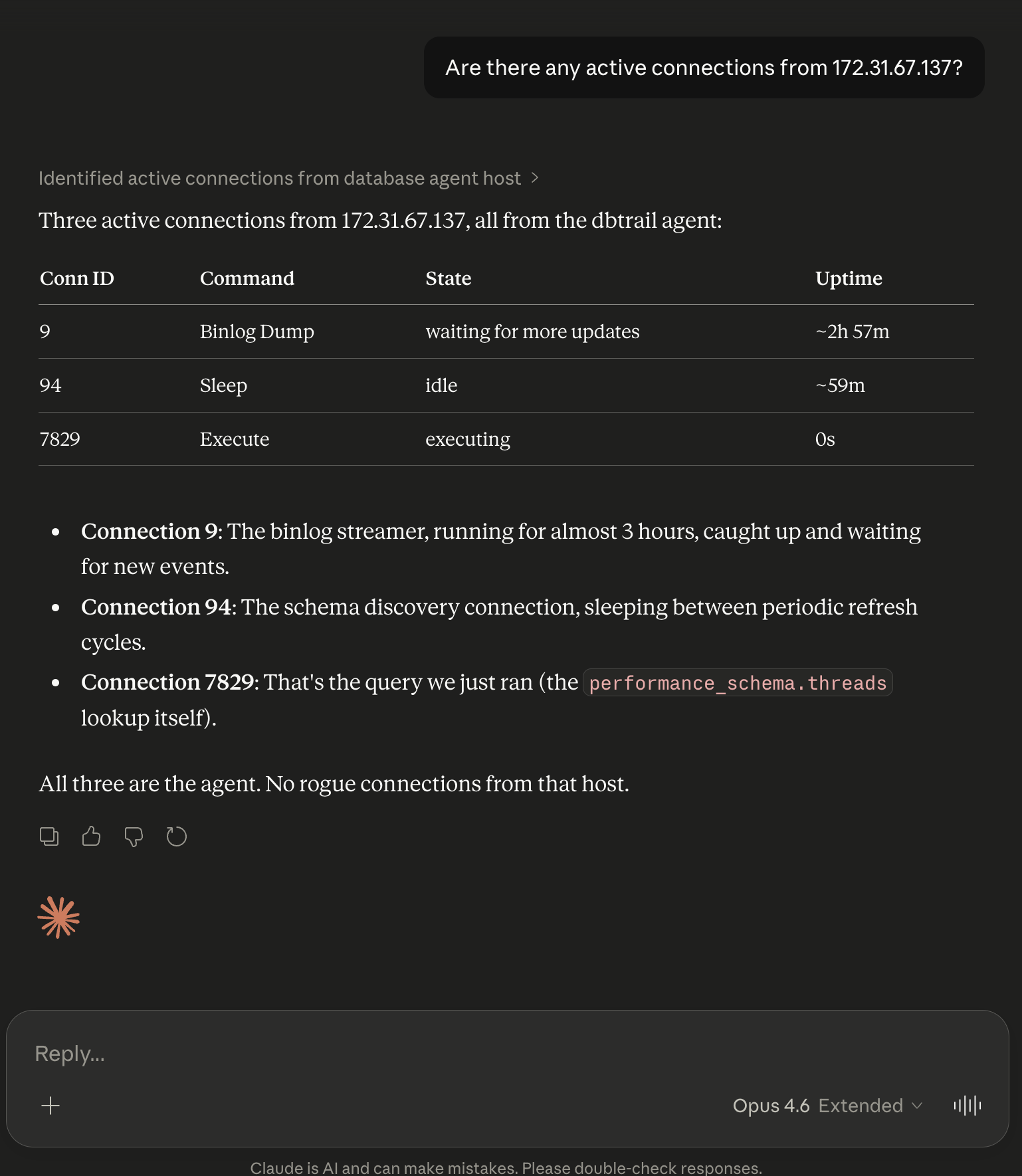
Returns current connections from a specific host or user. Useful during incident response when you need to identify which service is connected from a specific IP.
10. “Do I need an index on orders.customer_id?”
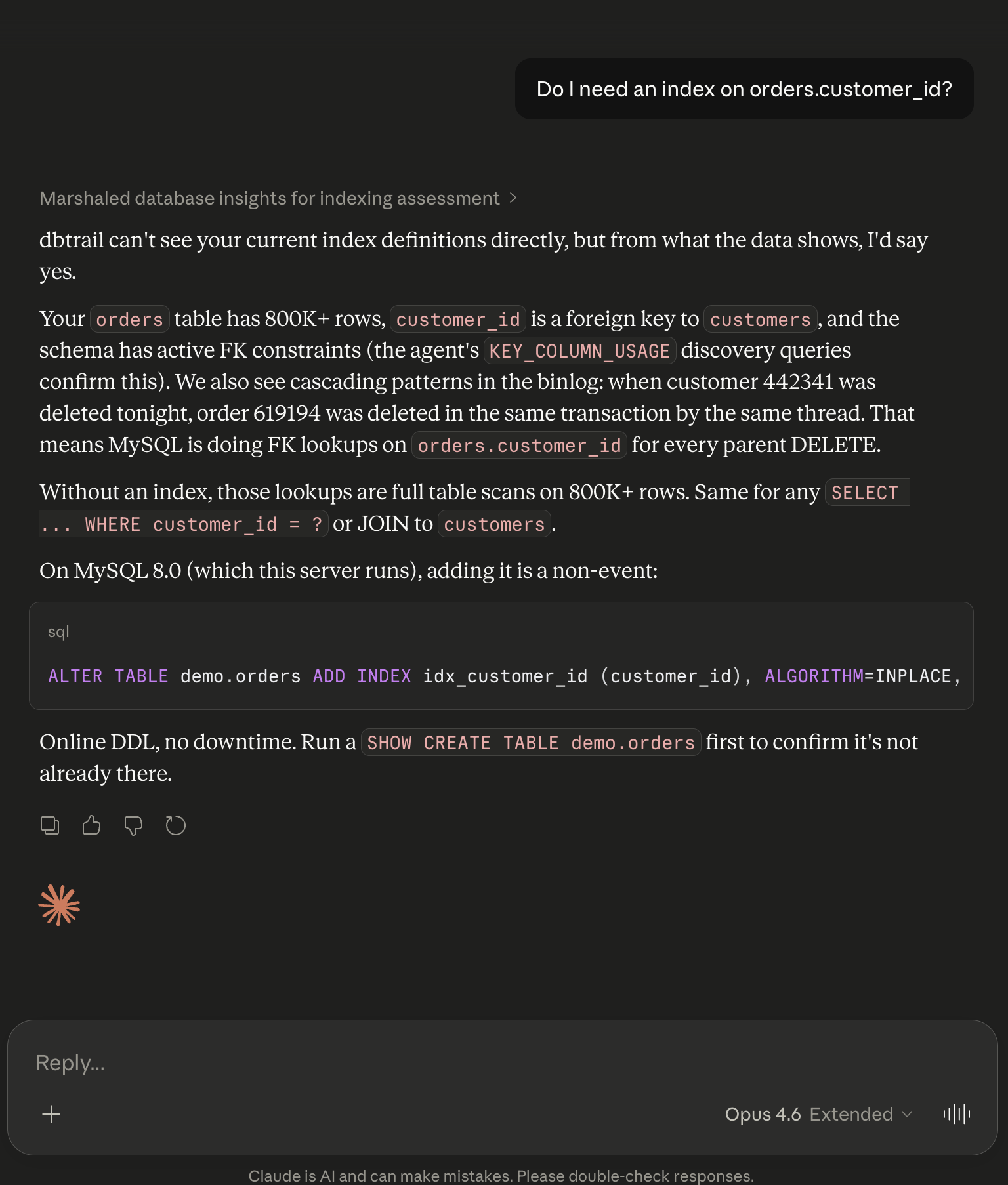
This one is outside dbtrail’s core scope, but Claude works with what it has. It checks the schema changes recorded by dbtrail, analyzes the data patterns from observed events (row counts, column cardinality), and gives you a recommendation.
dbtrail isn’t a DBA monitoring tool, but Claude is smart enough to extract useful answers from the data it does have.
Security and data flow
When Claude calls a dbtrail tool, it sends a structured request to the dbtrail MCP endpoint. dbtrail authenticates the request, checks RBAC permissions, queries the change index, and returns matching events. Claude sees only the events that match your query parameters and your access rules.
Claude never connects to your MySQL server. The bintrail capture agent runs inside your infrastructure, reads the binlog stream MySQL is already writing, and sends indexed events to dbtrail. Your MySQL credentials stay in your infrastructure.
dbtrail has role-based access control with five roles: owner, admin, operator, analyst, and viewer. Table-level access rules restrict which tables each role can query. If an analyst doesn’t have access to the payments table, Claude connected with that analyst’s credentials can’t see changes to payments.
On the Anthropic side: MCP tool calls are subject to Anthropic’s data usage policy. Claude Pro, Team, and Enterprise plans don’t use inputs for training. The free tier may. dbtrail controls what data Claude can see through the tools; what Anthropic does with what Claude sees is governed by their policy.
Setup
The MCP connection uses OAuth. No API keys to copy-paste.
Prerequisites: A MySQL server with binlog_format=ROW and binlog_row_image=FULL. A dbtrail account (free tier: 1 server, 3-day retention, no credit card).
Claude.ai: Go to Settings → Integrations → Add. URL: https://api.dbtrail.com/mcp. Claude handles the OAuth flow; you authorize dbtrail and you’re connected.
Claude Desktop: Settings → Integrations → Add remote integration. Same URL, same OAuth flow.
Claude Code:
claude mcp add --transport http dbtrail \
  https://api.dbtrail.com/mcp
Cursor:
{
  "mcpServers": {
    "dbtrail": {
      "url": "https://api.dbtrail.com/mcp"
    }
  }
}
After connecting, try: “What servers do I have in dbtrail?” If it returns your registered servers, you’re set.
Full setup guide: dbtrail.com/docs/claude/setup/
Who this is for
dbtrail is not only for the 1%, the senior DBA who has been running MySQL for 20 years and has a personal toolkit of shell scripts and battle-tested PITR runbooks.
It’s also for the other 99%.
The startup CTO who picked MySQL because it was the obvious choice and hasn’t thought about backup strategy since launch. The backend developer who knows how to write queries but has never used mysqlbinlog. The engineering manager who gets the 2am page and needs to answer “what happened and how do we fix it” before the CEO wakes up. The team that adopted AI coding agents and realized those agents can modify production data in ways nobody anticipated.
These teams don’t lack intelligence. They lack the specific, narrow expertise needed to investigate binlog events, resolve FK dependencies manually, and write correct recovery SQL under pressure. That expertise takes years to build, and most teams will never have someone with it on staff.
You shouldn’t need to know what a GTID is to find out who deleted your customer’s data.
The value calculation
Setup is a one-time cost: register a server in dbtrail (~5 min), connect Claude (~2 min). After that, dbtrail runs in the background every day: indexing changes, running scheduled backups with mydumper, building the forensic trail for compliance (SOC 2, HIPAA, PCI-DSS).
The Claude integration usage could be sporadic. Most days you won’t use it. But when 50 rows disappear from your customers table, you’re either spending 30 seconds asking Claude or spending hours restoring a snapshot, setting up a staging instance, parsing binlogs, and writing recovery SQL by hand. On a 167 million event binlog, no one is doing that faster than typing the question.
Free tier: 1 server, 3-day retention, 50 MCP requests/day, no credit card. Docs. Live demo on the homepage connected to a real WordPress MySQL server.